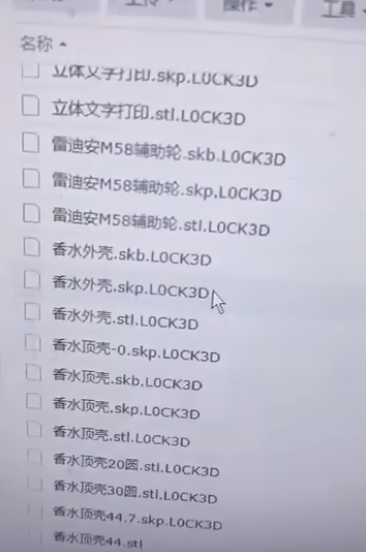
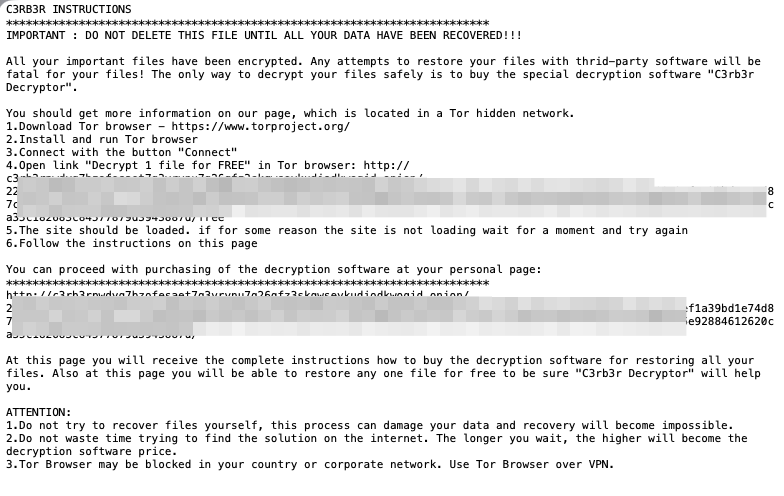
Hit by .L0CK3D ransomware? Do not reboot or power off!
If the device is still running, isolate it from the network and preserve its current state before following verified guidance.
Three absolute rules
Disconnect the network, not the power
Physically isolate the device. Do not shut down or reboot. Preserve its current running state.
1Never attempt recovery on original disks
Do not run recovery, repair, or write operations on the original disks. Preserve their state before assessing next steps.
2Never pay the attackers
Payment does not guarantee recovery and may cause further loss. Preserve evidence and seek trusted technical support.
3Synology NAS users: review patching and hardening
Review vulnerability fixes, backups, and hardening checks for your device.
More guidance
Rescue guide
Find the guide for your device state and understand the risks before acting.
Cases and evidence
Read sourced incident reports and their conditions without treating individual cases as recovery promises.
Prevention and hardening
Learn the basics of patching, network isolation, backups, and system hardening.